v.66
AADR 1240K v.66
~1240K SNPs
Ancient: 19,119
Modern: 4,131
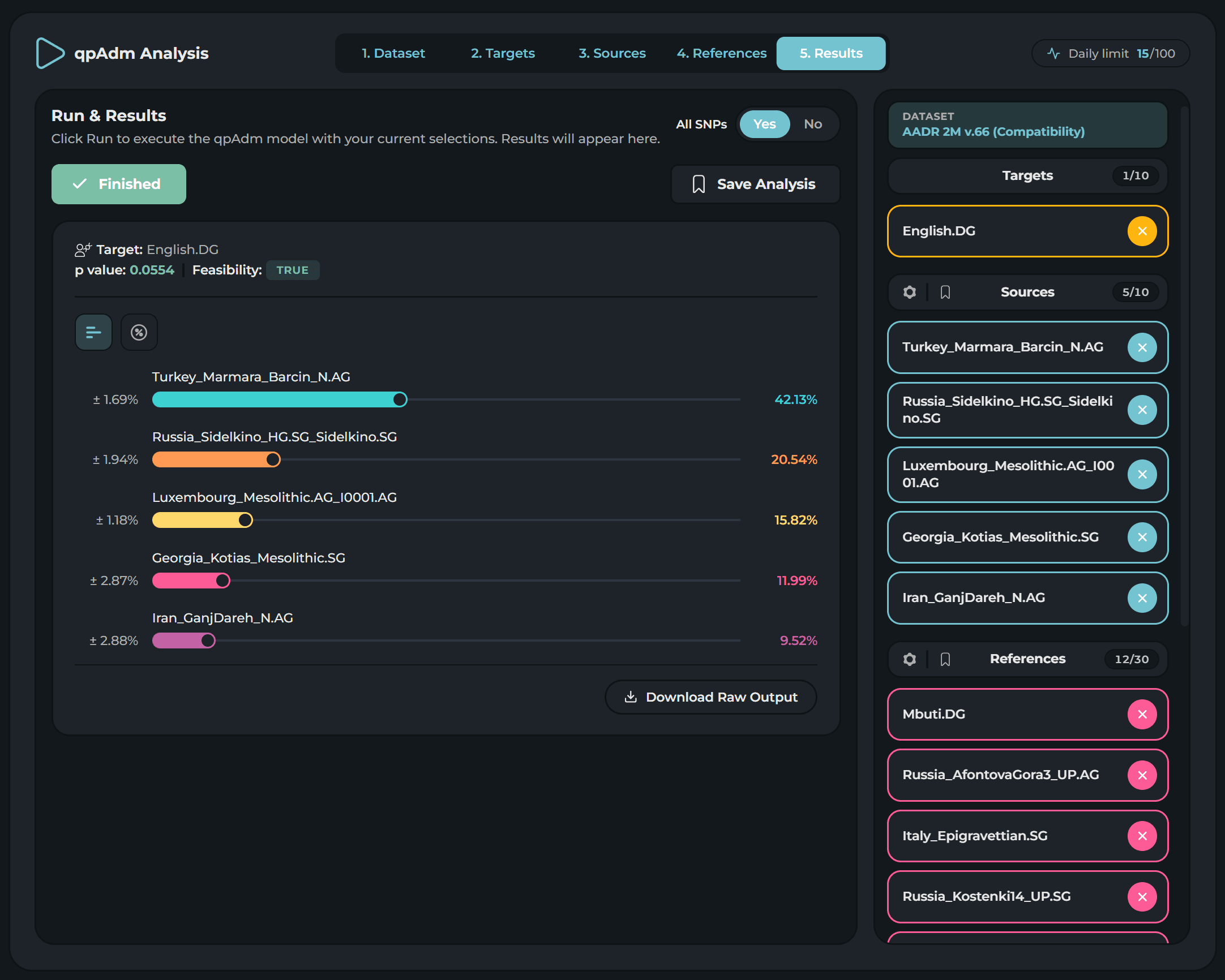
AdmixLab brings qpAdm — the workhorse of every modern population-genetics paper — into a wizard-driven web app. Pick a reference dataset, choose your targets and sources, fire off thousands of runs against the AADR v.62 and v.66 panels, and explore the fits without ever opening a terminal.
qpAdm has been the gold standard for testing admixture hypotheses since 2015 — and the gold standard for being miserable to set up. AdmixLab wraps the entire workflow in a five-step wizard so you can model targets in the time it used to take to wrangle a parameter file.
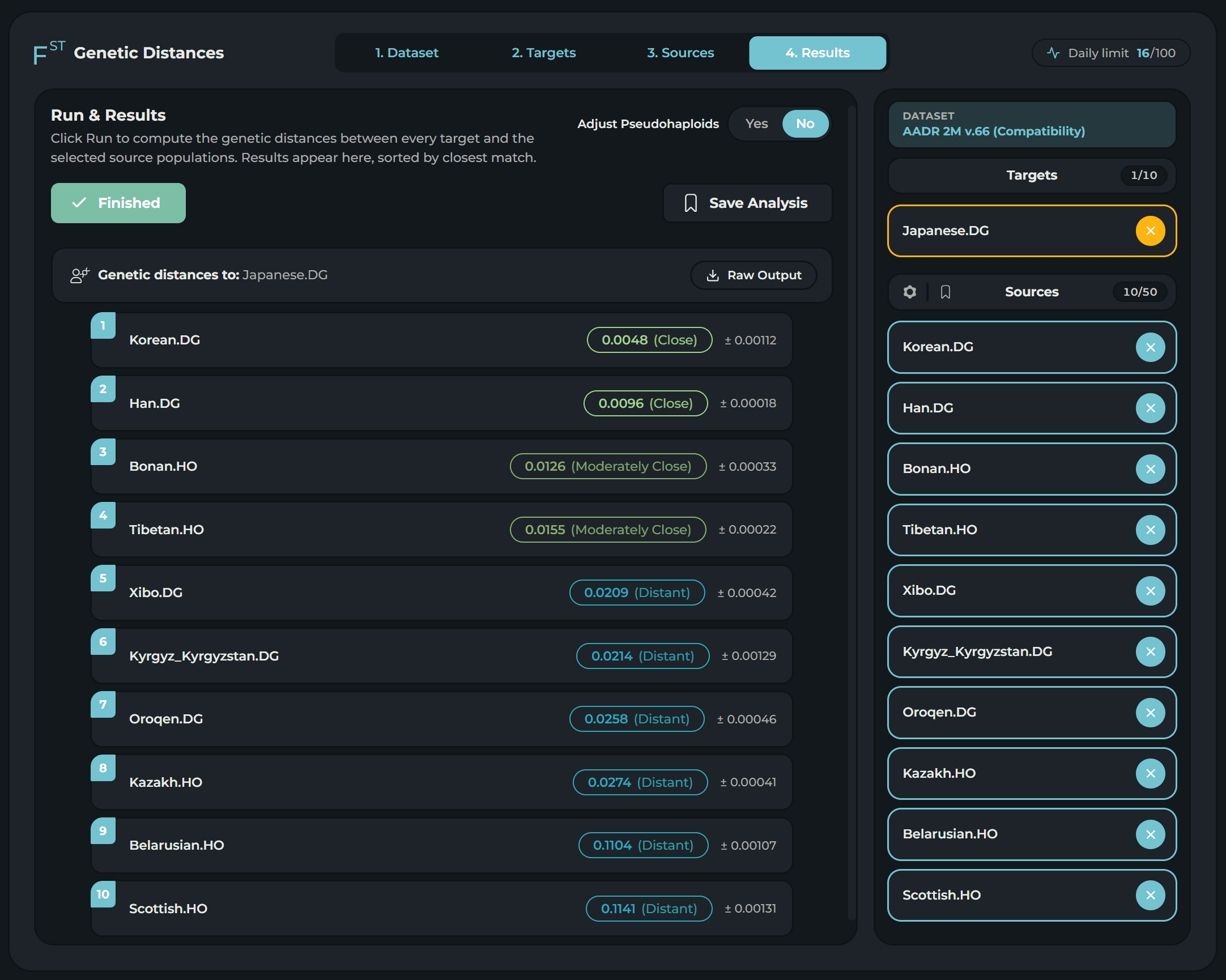
Compute pairwise Fst between any target and any pool of source populations on the AADR panels. Four steps, no parameter files, ranked results in minutes — same robust statistic the published papers use.
Every analysis sits on the Allen Ancient DNA Resource. Five v.66 panels — including two Compatibility variants that reduce bias from different sequencing methods — plus two v.62 panels for reproducing older papers.
Essential features are built-in for your convenience.
Every qpAdm and Fst run can be saved with one click, complete with its full parameter trail for feature reference.
Step-by-step guides for proximal / distal modelling, best practices, and the most common pitfalls explained in details to get you started asap.
Quick answers to the questions we hear most often about AdmixLab — what it does, what it doesn’t, and what to expect.
AdmixLab is a browser-based environment for qpAdm (and FST), a popular software widely used in scientific studies for estimating admixture / ancestry proportions of populations.
AdmixLab is a DIY (Do It Yourself) service — there are no pre-generated results; you'll need to build your own models. We've made the process straightforward with easy-to-follow steps, a user-friendly interface, and detailed documentation on how to use the tool and interpret your results.
However, a basic understanding of population genetics and ancient-DNA literature is still required. At a minimum, you should know which samples to select in order to construct a meaningful model. Because of the nature of the tool, we are unable to provide personalised assistance in designing models tailored to your specific ethno-geographic background.
You should also keep in mind that qpAdm is a relatively hard tool to use efficiently and there is no guarantee that you will achieve your desired results.
You can use the raw-data files from MyHeritage, AncestryDNA, FamilyTreeDNA, 23andMe, Living DNA, or TellMeGen.
The commercial file you want to use has to be an autosomal raw-DNA data file in genotype format. WGS files (VCF, BAM, etc.) cannot be used unless they are first converted into a genotype format.
qpAdm operates on the SNPs shared between the samples you select when creating a model. We use the AADR dataset as a base, and the number of SNPs shared between this dataset and commercial raw-DNA files will vary depending on both the company and the chip version used to sequence your DNA.
As a result, there is no definitive answer to how many SNPs will be shared — this can only be determined through extensive testing. However, you can generally expect between 100,000 and 400,000 shared SNPs in total. (This number will be proportionally reduced depending on the specific samples you choose when creating a model, as not all samples in the dataset contain the same number of SNPs.)
Despite this variation, raw-DNA files from major companies typically provide enough coverage to achieve optimal results, especially given qpAdm's robustness with low-coverage data.
A single analysis — either an FST calculation or a qpAdm model — takes around 5 to 10 minutes, mostly depending on the target type (using your own raw-data files as targets increases the time compared to using dataset samples, because of the merging process).
The length of the duration is set by the fact that every analysis in AdmixLab is computed directly from genotype files each time, rather than using pre-processed data like PCA coordinates.
You can still see your saved analyses and download their detailed raw outputs, but you can't create new ones.
This is a web browser based environment service for ADMIXTOOLS 2 software in compliance to GPL-3 licensing. No modifications are done to the original software.
Subscribe once and unlock qpAdm, Fst, saved analyses and every dataset above — including future AADR releases.
Start Now